image

Add Money

image

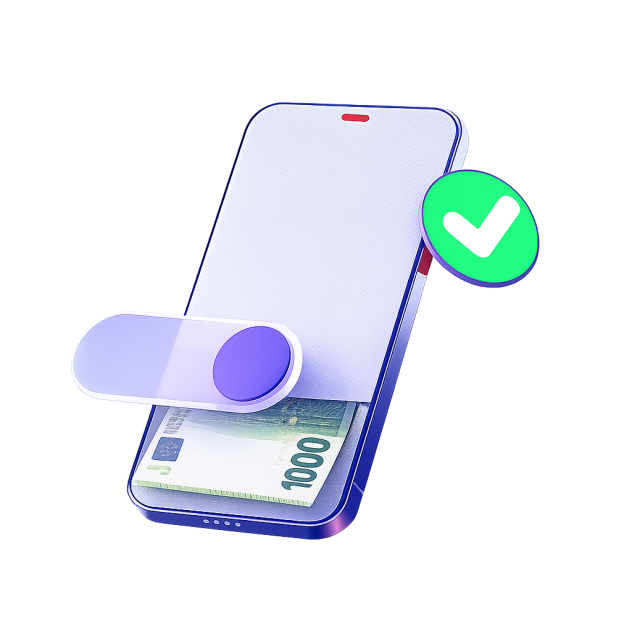
Add Money lets users choose a source, enter an amount, and confirm the transaction.

Virtual Card

image

Create secure virtual cards for online shopping with customizable limits.

Savings Goal

image

Set and track automated savings goals with flexible contribution options.

Bill Pay

image

Quickly pay utility bills with automatic reminders for due dates.

Mobile Recharge

image

Seamless and secure mobile recharges anytime, anywhere. Stay connected without any hassle.

Donation

image

Easily make donations anytime, anywhere. Support causes that matter with fast, secure, and hassle-free contributions.

Cash Out

image

Effortlessly cash out your funds anytime, anywhere. Enjoy fast, secure, and hassle-free withdrawals.

Secure, Seamless, Smarter

Edlinpay simplifies personal financial management with seamless account top-ups, instant virtual cards, and secure online payments. With a focus on security and ease of use, it empowers you to manage your online transactions effortlessly.

Sign Up for Free

How it Woks

1

Sign Up

Create an account in minutes with your phone number

2

Add Money

Link your bank, card, or wallet to load funds instantly

3

Start Using

Send, Received, Pay Bills or shop with ease—all in one app

+

Daily Transaction

+

Supported Bank

K+

Total User

K+

Total Transaction

Frequently Asked Questions

What is EdlinPay?
Edlinpay is a secure personal digital wallet designed for everyday users. It allows you to top up funds securely, generate virtual cards instantly, and manage your online purchases with complete peace of mind.
Does EdlinPay support virtual cards?
Yes, Edlinpay supports virtual card integration, allowing users to generate and manage virtual cards for safe online transactions worldwide.
Can I withdraw funds from EdlinPay to my bank account?
Yes, you can withdraw funds from your Edlinpay balance to your linked bank account at any time, usually within a few business days.
What should I do if I forgot my password?
If you’ve forgotten your password, simply click on the ‘Forgot Password’ link in the login screen, and follow the instructions to reset it.
How do I set up an EdlinPay account?
Setting up an account with Edlinpay is quick and easy. Simply download the mobile app or visit our website, sign up, and follow the on-screen verification instructions.
How can I contact customer support?
You can contact our customer support team via email at contact@edlinpay.com or through the in-app support feature for quick assistance.
Are there any transaction fees?
Edlinpay offers competitive rates with minimal fees. We provide transparent pricing, and you can always view the cost breakdown before confirming any transaction.
How long do transactions take to process?
Most transactions are processed instantly or within a few minutes, but international transfers may take longer depending on the recipient country.
How can I add funds to my EdlinPay account?
You can add funds to your Edlinpay account using your linked bank account, supported debit or credit cards, Moncash, Natcash or through available local top-up methods, making it easy to fund your balance anytime securely.
How secure is my money with EdlinPay?
Edlinpay uses the highest industry standards for security. All transactions are encrypted, and we utilize multi-factor authentication to ensure the safety of your funds.
Still have question?

Can’t find the answers you’re looking for? Please chat to our friendly team.

Download Edlinpay Mobile App

This site uses cookies

We may utilize cookies when you access our website, including any related media platforms or mobile applications. These technologies are employed to enhance site functionality and optimize your interactions with our services.